

Yes, Chime works seamlessly with Cash App. You can link your Chime Spending Account and debit card to transfer money between both platforms.
As a financial planner, one of the most common areas of confusion I see is how modern financial tools interact. You’re trying to pay a friend back, but your money is in Chime and they use Cash App. It can be frustrating.
This guide provides a clear, step-by-step process for making it work, based on my own hands-on testing. We’ll cover the fastest way to link your accounts and, just as importantly, the expert-recommended way to do it safely.
Key Takeaways Ahead
How to Link Chime to Cash App: 2 Simple Methods
To start moving money, you first need to connect your Chime account to Cash App, a popular peer-to-peer payment service from Square, Inc.
I’ve personally tested both methods, and while both work, one is significantly faster.
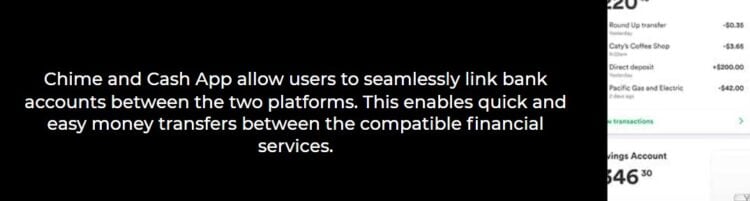
Method 1: Using Your Chime Debit Card (Fastest & Easiest)
This is the method I recommend for most users. It’s nearly instant and straightforward.
- Open Cash App and tap your profile icon in the top-right corner.
- Select “Linked Banks.”
- Tap “Link Debit Card.”
- Enter your Chime Visa® Debit Card number, expiration date, CVV, and billing ZIP code.
Method 2: Using Your Bank Account (For Direct ACH Transfers)
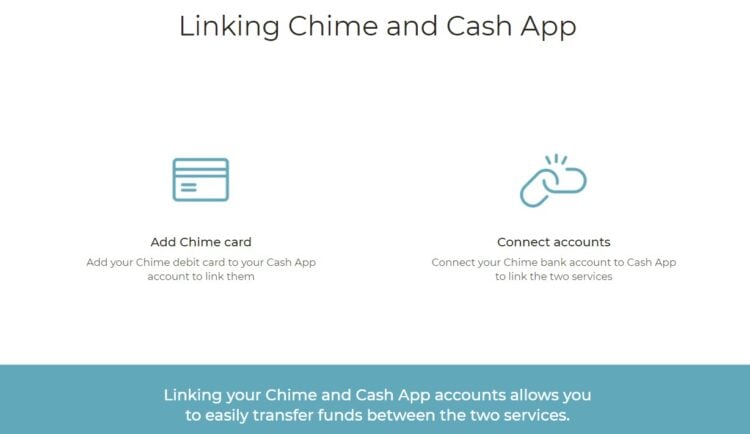
This method takes a bit longer to set up but is useful if you don’t have your debit card handy.
- In Cash App, go to “Linked Banks” and tap “Link Bank.”
- If Chime isn’t listed, choose “Link Manually.”
- You will now need your Chime routing and account numbers.
Click play below to play the video on hoe to transfer money between Cash App and Chime accounts
- Enter your Chime routing and account numbers into Cash App.
- Cash App will likely send two small micro-deposits to your Chime account for verification. This can take 1-2 business days.
- Once the deposits arrive, open Cash App again and confirm the two amounts to finalize the link.
How to Transfer Money: A Step-by-Step Guide
Once your Chime and Cash App accounts are linked, moving money is simple. The process is slightly different depending on the direction of the transfer.
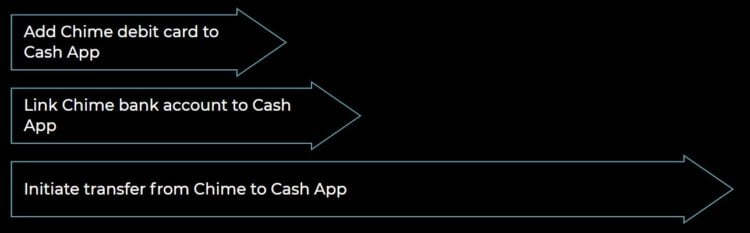
How to Send Money from Chime to Cash App
This action is called “Add Cash” in Cash App, as you are pulling money from Chime to your Cash App balance.
- Open Cash App and tap the money balance on the bottom-left of your screen.
- Tap the “Add Cash” button.
- Enter the amount you want to transfer.
- Select your linked Chime account or debit card as the source.
- Tap “Add” to confirm. The funds will be added to your Cash App balance.
How to Send Money from Cash App to Chime
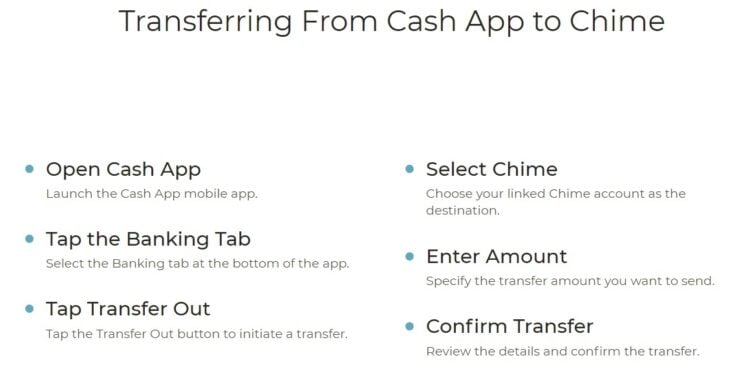
This action is called “Cash Out” in Cash App, as you are pushing money from your Cash App balance to your Chime account.
- Open Cash App and tap the money balance.
- Tap the “Cash Out” button.
- Enter the amount you want to transfer.
- Select your linked Chime account as the destination.
- Choose your transfer speed.
- How To Use Cash App for Teens
Troubleshooting Common Transfer Problems
Sometimes, a transfer fails. In my experience, it’s almost always one of these three issues.
Problem 1: “Transfer Declined” Error
This is the most common issue. The number one reason a Chime debit card is declined online is a mismatch in the Address Verification System (AVS). To fix this, ensure your Chime card has your current billing address and ZIP code associated with it in the Chime app’s settings.
Problem 2: Can’t Link Bank Account
If the manual bank account link fails, you have likely entered the wrong routing number. Chime uses two partner banks, The Bancorp Bank and Stride Bank, N.A., each with its own routing number. You must use the specific one assigned to your account, which is found in your app.
Problem 3: Transfer is Pending or Delayed
Standard transfers using your bank account (not your debit card) run on the ACH network, which operates in batches and only on business days. If you initiate a transfer on a Friday night, don’t expect it to arrive in your Chime account until Monday or Tuesday.
Michael Ryan Money’s Guide to Doing It Safely
Linking financial accounts is convenient, but it requires a security-first mindset.
The connection between Chime and Cash App is typically facilitated by a third-party service called Plaid. Plaid uses tokenization to protect your data, meaning it shares a secure “token” with Cash App instead of your actual bank login credentials. This is a secure, industry-standard practice.
Transfer Limits & Fees Explained
Understanding the limits and fees is crucial for managing your money effectively. Use our transfer fee and transfer limits calculators below:
Transfer Limit Calculator
Transfer Fee Calculator
Final Thoughts: A Powerful Tool When Used Wisely
The ability to seamlessly connect Chime and Cash App is a perfect example of the modern financial ecosystem at its best. It gives you the flexibility to use Chime’s excellent banking features alongside Cash App’s powerful peer-to-peer payment network.
By following the correct steps and prioritizing security, you can make these tools work for you, saving time and reducing financial friction. The key, as with all financial planning, is to understand the system, manage the risks, and use it intentionally to achieve your goals.
Ready to get started?
Frequently Asked Questions About Chime and Cash App
Transfer limits vary by account verification status. For Chime, unverified accounts have a $500 daily limit, while verified accounts can transfer up to $2,000 per day. Cash App unverified accounts can send $250 per week and receive $1,000 per month, while verified accounts can send up to $7,500 per week with unlimited receiving. Verification requires providing your full legal name, date of birth, and SSN. As a financial planner, I always recommend verifying both accounts immediately to avoid hitting limits during important transactions. These 2026 limits are subject to change, so check your app settings for current restrictions.
What are the current transfer limits for Chime and Cash App in 2026?
Transfer limits vary by account verification status. For Chime, unverified accounts have a $500 daily limit, while verified accounts can transfer up to $2,000 per day. Cash App unverified accounts can send $250 per week and receive $1,000 per month, while verified accounts can send up to $7,500 per week with unlimited receiving. Verification requires providing your full legal name, date of birth, and SSN. I always recommend verifying both accounts immediately to avoid hitting limits during important transactions.
Are there any fees when transferring between Chime and Cash App?
Fees depend on transfer speed. Standard ACH transfers from your linked Chime bank account to Cash App are completely free, but they take 1-3 business days. For instant transfers using your Chime debit card, Cash App charges a 1.5% fee with a minimum of $0.25. For example, a $100 instant transfer costs $1.50. Chime itself does not charge any fees for these transactions. As of 2026, many users find the 1.5% fee worthwhile for urgent transfers (paying rent, sending money to family), while using free standard transfers for non-urgent situations.
How long does it take to transfer money from Chime to Cash App?
Transfer speed depends on your method. If you use your Chime debit card for an instant transfer, the money typically arrives in your Cash App balance within seconds to minutes. However, if you link your Chime bank account and use standard ACH transfers, it takes 1-3 business days. The ACH network only processes during banking hours on weekdays, so a transfer initiated Friday evening won’t arrive until Monday or Tuesday at the earliest. For 2026, I recommend using the debit card method when you need immediate access to funds.
Is it safe to link my Chime account to Cash App?
Yes, the connection is secure when done properly. The link between Chime and Cash App is typically facilitated by Plaid, a third-party financial service that uses industry-standard tokenization and encryption. This means Plaid shares a secure token with Cash App instead of your actual bank login credentials. Both Chime and Cash App are legitimate financial institutions regulated by federal authorities. However, security also depends on your practices: always enable two-factor authentication on both accounts, never share your login information, and regularly monitor your transactions for unauthorized activity. As of 2026, this remains one of the safest ways to move money between digital financial platforms.
Can I transfer money from Cash App back to Chime?
Absolutely. This process is called ‘cashing out’ in Cash App. Open the app, tap your balance, select ‘Cash Out’, enter the amount, choose your linked Chime account as the destination, and confirm. You can choose between standard (free, 1-3 business days) or instant transfer (1.5% fee, arrives within minutes to your Chime account). The instant option is particularly useful if you need immediate access to funds in your Chime account for bill payments or ATM withdrawals. Both Chime and Cash App make this reverse transfer process just as seamless as sending money from Chime to Cash App.
Why won’t my Chime debit card link to Cash App?
The most common issue is an Address Verification System (AVS) mismatch. Ensure the billing address and ZIP code in your Chime app settings exactly match what you’re entering in Cash App. Other potential causes include: entering the wrong card details (check the card number, expiration date, and CVV), having insufficient funds or a negative balance in your Chime account, your Chime card being temporarily locked or frozen due to suspected fraud, or system maintenance on either platform. I recommend first verifying your address in the Chime app under Settings, then trying to link the card again. If problems persist, contact Chime support directly, as they can see specific decline reasons that Cash App cannot access.
Signing up takes only 2 minutes!
- The most loved banking app.
- Overdraft fee-free with SpotMe
- Get paid early: Set up direct deposit and get your paycheck up to 2 days earlier

We may earn a commission if you make a purchase, at no additional cost to you.
- Sharing the article with your friends on social media – and like and follow us there as well.
- Sign up for the FREE personal finance newsletter, and never miss anything again.
- Take a look around the site for other articles that you may enjoy.
Note: The content provided in this article is for informational purposes only and should not be considered as financial or legal advice. Consult with a professional advisor or accountant for personalized guidance.
