
A 403(b) calculator estimates how your current balance, contributions, employer match, assumed investment return, salary growth, and time could build your retirement savings. The number it gives you is a scenario, not a promise.
That distinction matters. A calculator can do perfect math with bad assumptions. The useful question is not simply, “What will my 403(b) be worth?” It is: Which assumptions are driving the answer, and which of them can I actually change?
Quick Answer
A 403(b) retirement calculator projects a possible future account balance from the numbers you enter today. Use it to compare contribution rates, employer-match scenarios, time horizons, and return assumptions rather than trusting one forecast. Run at least a lower, middle, and higher-return scenario, then check your contribution amount against the current IRS limits and your employer’s plan rules. The best result is not the biggest number on the screen; it is a projection you understand well enough to act on.
On This Page
- Key Takeaways Ahead
- What a 403(b) Calculator Can Tell You
- 403(b) Retirement Savings Calculator
- How to Use the 403(b) Calculator
- The Inputs That Change Your 403(b) Projection Most
- 2026 403(b) Contribution Limits and Catch-Ups
- Common 403(b) Calculator Mistakes
- How to Read Your Result Without Fooling Yourself
- 403(b) Calculator FAQs
- What to Do With Your 403(b) Calculator Result
- Sources
Key Takeaways Ahead
What a 403(b) Calculator Can Tell You
A 403(b) plan is a tax-advantaged workplace retirement plan used by public schools, certain tax-exempt organizations, and some churches. IRS Publication 571 explains the federal tax rules for these plans. A 403(b) calculator turns your savings assumptions into an estimate of how that account could grow by retirement.
Use the calculator below as a planning model. Change one input at a time and watch what moves. That is more useful than entering one optimistic set of assumptions and treating the final balance as your future.
403(b) Retirement Savings Calculator
Start with five inputs. Open the optional sections only when you need plan fees and match, 403(b) catch-up rules, a 401(k) comparison, or advanced assumptions.
Projected 403(b) Accumulation
Stress-test the return assumption
Same savings inputs, three return assumptions. Use the spread to see how much of the result depends on future market performance.
403(b) vs. comparison plan
This isolates plan-quality variables. Same savings rate and market-return assumption, but different entered fees and employer match. It does not model using both plans at the same time.
See projected balance by age
Projected Balance by Age
First-year contribution check
Important cautions
Projection assumptions
Read assumptions and limitations
The calculator can help you answer practical questions: What happens if you raise your contribution? How much does an employer match matter? How sensitive is the result to your assumed return? What changes if you work five more years? Those are decisions. The final balance is only the math that follows from them.
How to Use the 403(b) Calculator
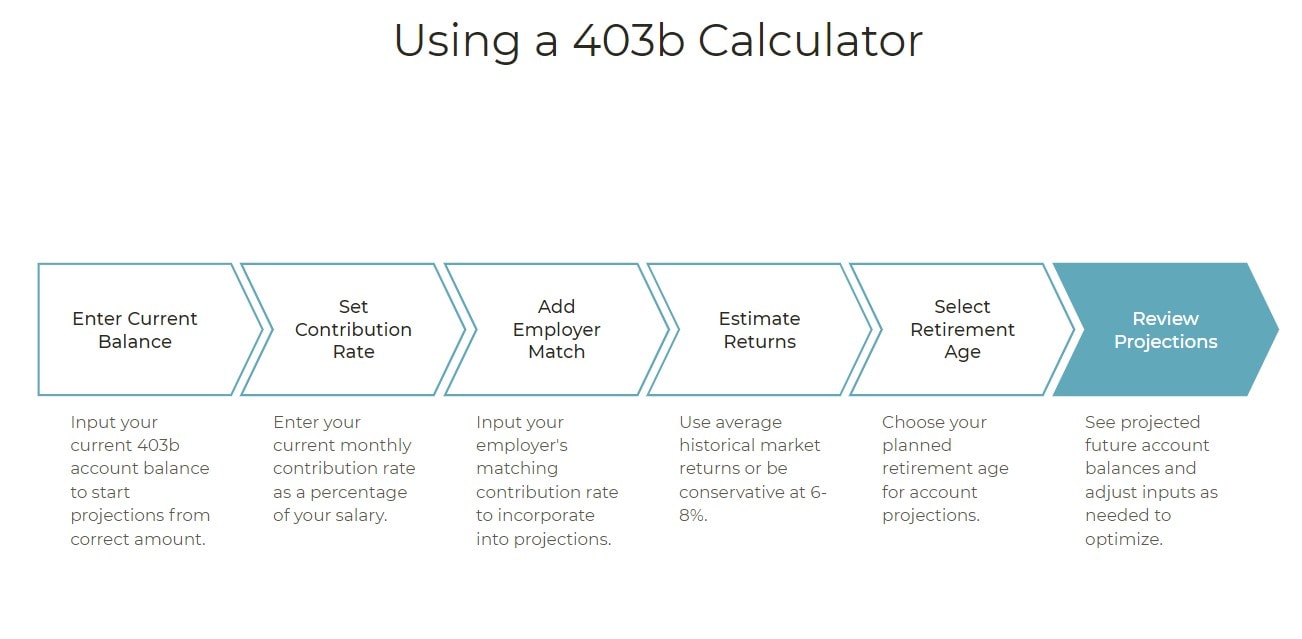
Before you start, pull up a recent pay stub and your latest 403(b) statement. If your employer contributes to the plan, also find the plan’s match or contribution formula. Guessing at the match can make a projection look much better or worse than the plan you actually have.

- Enter your current age and 403(b) balance. Your starting balance and years remaining have a large effect on how much time compounding gets to work.
- Enter your salary and employee contribution. Use what you are actually contributing now before testing a higher amount.
- Enter the employer contribution or match accurately. Check the plan document or benefits portal for the formula, maximum match, and any conditions that apply.
- Choose a return assumption. Treat it as an assumption, not a forecast. A higher assumed return can dramatically inflate the future balance over a long period.
- Use a realistic salary-growth assumption. If your contributions are expressed as a percentage of pay, future raises can increase the dollars going into the plan.
- Run the calculation three times. Keep every input the same except the assumed return. A lower, middle, and higher-return case shows you how dependent the plan is on an unknowable future market result.
Michael’s Rule for the Result
If your retirement plan looks comfortable only when you use your highest return assumption, the plan is fragile. I would rather see a savings plan that still looks workable under a less generous scenario than a beautiful number that depends on everything going right.
The Inputs That Change Your 403(b) Projection Most
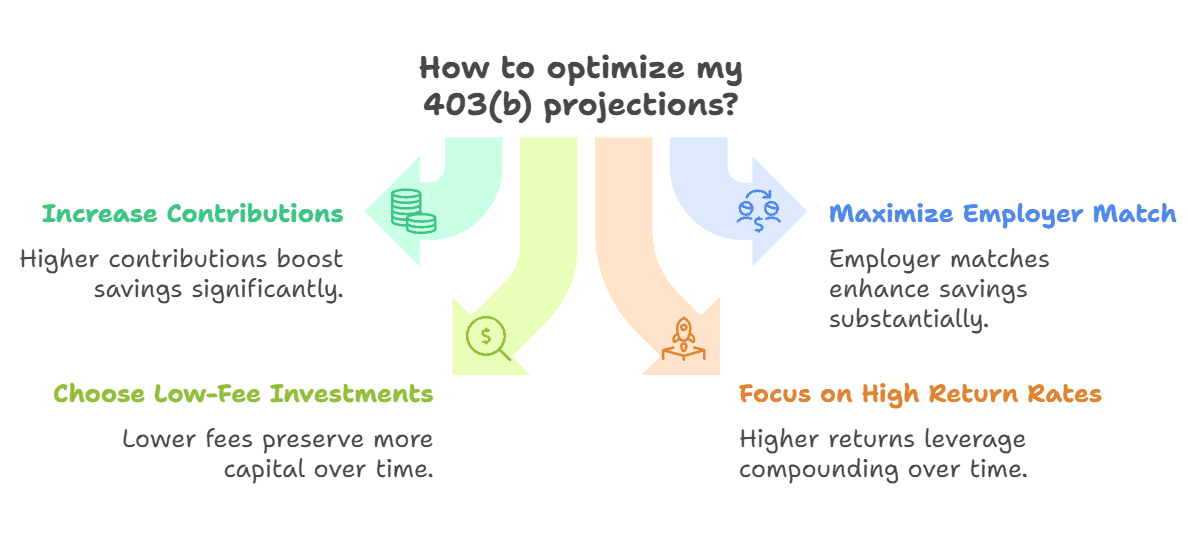
Not every calculator input deserves equal attention. These are the variables I would check first because each one can materially change the result or the decision you make from it.
| Input | Why it matters | What to verify |
|---|---|---|
| Current balance | Existing money compounds for every year it remains invested. | Your latest statement balance. |
| Employee contribution | More dollars invested now can compound for years. | Your payroll election and the 2026 IRS limit. |
| Employer contribution | A match or other employer contribution adds money you are not contributing from salary. | The exact plan formula, cap, eligibility, and vesting terms. |
| Years to retirement | Time changes both how long contributions continue and how long the balance compounds. | The retirement age you are actually considering. |
| Assumed return | Small changes compound into large differences over long periods. | That you are testing a range instead of treating one rate as guaranteed. |
| Salary growth and plan costs | Raises can increase percentage-based contributions, while fees and expenses reduce the return your account keeps. | Your pay assumption plus the plan and investment expenses shown in your disclosures. |
Fees deserve special attention because they work in the opposite direction of compounding. The U.S. Department of Labor’s retirement-plan fee guidance explains that fees and expenses reduce investment returns and can have a substantial cumulative effect over time. That does not mean every 403(b) is expensive. It means you should use the costs of your actual plan and investments when judging whether a projection is realistic.
Traditional vs. Roth 403(b): What Changes in the Calculation?
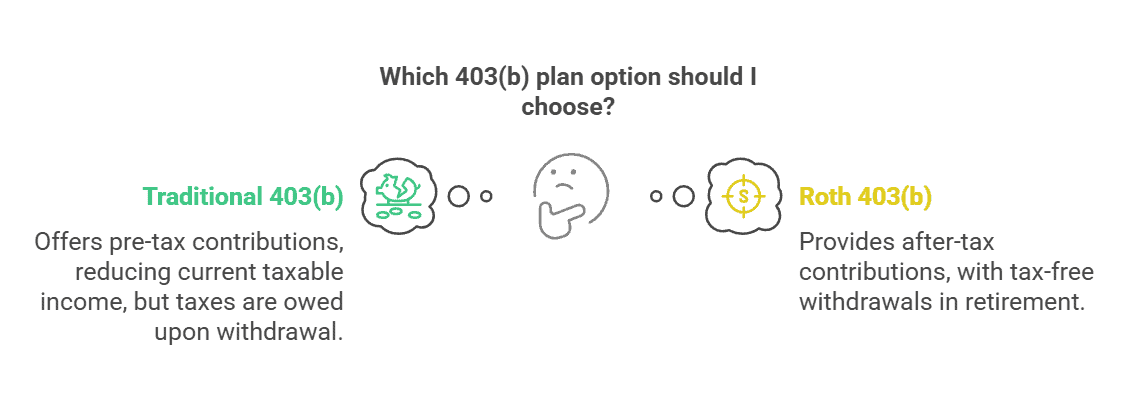
Traditional and Roth 403(b) contributions can be invested in the same kinds of plan investments, so a simple growth calculator may project the account balance the same way before taxes. The important difference is tax timing: allowable non-Roth contributions generally are excluded or deducted from current income, while Roth contributions are taxed when made and qualified Roth distributions are tax-free. The exact tax rules and qualification requirements are explained in IRS Publication 571.
If the calculator does not model taxes, do not use its ending balance to decide that traditional or Roth is automatically better. The calculator is answering a growth question, not your complete after-tax retirement-income question.
2026 403(b) Contribution Limits and Catch-Ups
Your calculator can model a large contribution, but your payroll election still has to fit the rules that apply to your plan. The IRS 403(b) contribution-limit guidance sets the federal limits for 2026.
| 2026 limit | Amount | What it means |
|---|---|---|
| Employee elective deferral | $24,500 | The basic 2026 limit on salary deferrals to a 403(b). |
| Age 50+ catch-up | $8,000 | May be available beyond the basic limit if the plan permits catch-up contributions. |
| Age 60-63 catch-up | $11,250 | For participants who turn 60, 61, 62, or 63 during the year, this higher limit applies instead of the regular $8,000 age-50 catch-up. |
| Annual additions | Lesser of $72,000 or 100% of includible compensation | Generally combines employee elective deferrals, including an applicable 15-year service catch-up, plus employer contributions. Age-based catch-up contributions may be available beyond this annual-additions limit. |
Some long-service employees also have a special 15-year 403(b) catch-up. If your plan permits it and you have at least 15 years with the same eligible employer, the IRS says the additional elective deferral can be up to $3,000 for the year, subject to a lifetime limit and a service-based calculation. This is exactly the kind of rule to confirm with your plan before putting a higher number into a calculator.
There is another 2026 wrinkle for catch-up contributions. The IRS catch-up contribution rules say that participants in plans with Roth features who had more than $150,000 of prior-year wages from the plan sponsor generally must make their 2026 catch-up contributions on a Roth basis.
If you are comparing the plan itself with a 401(k), I cover the broader account differences in my 401 K Vs 403 B Retirement Guide. Here, the important point is narrower: use the contribution rules that actually apply to your 403(b) when you build a projection.
Common 403(b) Calculator Mistakes
The biggest calculator mistakes are usually not arithmetic mistakes. They are assumption mistakes.
- Using one return assumption and calling it the answer. Markets do not deliver a smooth fixed return every year. Use a range to see how dependent the plan is on future performance.
- Forgetting or overstating the employer match. A 50% match on the first 6% of pay is not the same thing as a 6% employer contribution. Enter the formula your plan actually uses.
- Ignoring fees and expenses. Your account keeps the return after the costs charged by the plan and investments. Review the disclosures instead of assuming every 403(b) has either “high” or “low” fees.
- Treating salary growth as guaranteed. Raises may increase future percentage-based contributions, but a calculator cannot know your future pay.
- Confusing the projected account balance with spendable retirement income. Taxes, inflation, withdrawal strategy, other income, and retirement length are separate questions.
- Entering contributions above what the rules allow. Check the current IRS limit, applicable catch-ups, and your plan provisions before using an aggressive savings input.
How to Read Your Result Without Fooling Yourself
Suppose you run the exact same savings plan three times at illustrative return assumptions of 4%, 6%, and 8%. Those rates are not my forecast for your investments. They are a sensitivity test.
If the results are far apart, the lesson is not that you should pick the 8% number because it feels better. The lesson is that your retirement outcome is highly sensitive to an assumption you cannot control. That should push more of your attention toward the inputs you can control: how much you save, whether you capture the employer contribution available to you, how long you save, and what you pay in plan and investment costs.
A Better Three-Run Test
- Run 1: Lower return assumption. Ask whether the savings plan still gets you into a workable range.
- Run 2: Middle assumption. Treat this as your planning case, not a guarantee.
- Run 3: Higher assumption. Use it to see upside sensitivity, not as permission to save less.
Then change one controllable input, such as your contribution rate, and rerun all three. That shows whether your decision improves the plan across scenarios instead of only in the rosiest one.
Make the Retirement Math Useful
If this helped you separate a 403(b) calculator’s math from the assumptions behind it, my newsletter does the same thing with retirement limits, tax rules, plan choices, and the financial fine print that changes real decisions.
- Current retirement-plan limits translated into plain English
- Practical ways to pressure-test savings and tax assumptions
- One clear financial lesson without a sales pitch
403(b) Calculator FAQs
What is a 403(b) retirement savings calculator?
A 403(b) retirement savings calculator estimates how your current balance, future contributions, employer contributions, time, and assumed investment return could affect the account’s future value. Its best use is comparison: change one assumption at a time and see which decisions materially improve the projection.
Can I use a 403(b) savings calculator to estimate retirement income?
Yes, a calculator can turn a projected balance into an illustrative income estimate if it includes that feature. But that output is not guaranteed retirement income. Your actual withdrawals will depend on market results, taxes, inflation, other income, your withdrawal strategy, and how long the money needs to last.
What to Do With Your 403(b) Calculator Result
Save the assumptions you used, not just the ending balance. Then make the calculator earn its keep.
- Confirm your employer contribution or match from the plan, not from memory.
The goal is not to make the 403(b) calculator show the biggest number. It is to build a savings plan that still makes sense when markets, raises, and life do not cooperate perfectly.
Sources
- Internal Revenue Service: Retirement Topics — 403(b) Contribution Limits
- Internal Revenue Service: Retirement Topics — Catch-Up Contributions
- U.S. Department of Labor: Understanding Retirement Plan Fees and Expenses
- Internal Revenue Service: Publication 571, Tax-Sheltered Annuity Plans (403(b) Plans)
