

If the FAFSA website is not working, don’t keep repeating the same browser fixes. First figure out exactly where the failure happens. A StudentAid.gov login problem, contributor invitation error, form that will not save, missing signature, and actual system outage can look frustratingly similar but require different fixes.
If you have already cleared your cache, switched browsers, tried incognito mode and still get the same error, that is useful information. Stop treating it as a generic browser problem and move to the matching section below.
On This Page
- FAFSA Website Not Working? Find Where It Breaks First
- Is the FAFSA Website Down, or Is It Just Your Account?
- Try the Basic FAFSA Browser Fixes Once
- If StudentAid.gov Login Is Not Working
- FAFSA Says “Unable to Complete This Action”
- If a FAFSA Contributor Invitation Is Not Working
- If FAFSA Will Not Save or Keeps Sending You Back
- If Your FAFSA Will Not Submit
- What to Do if a FAFSA Error Is Threatening a Deadline
- Should You Use the Paper FAFSA if the Website Still Will Not Work?
- When to Stop Troubleshooting and Contact Federal Student Aid
- FAFSA Website Not Working? Use the Error as a Clue
FAFSA Website Not Working? Find Where It Breaks First
The wording of the error matters, but the screen where it appears often matters even more.
| Where FAFSA stops | What to check first | Go to |
|---|---|---|
| StudentAid.gov will not load | Outage, maintenance, browser/session issue | Website and browser checks |
| You cannot sign in | StudentAid.gov account problem | Account recovery |
| You get “Unable to Complete This Action” | The exact screen where it appears | Error-message diagnosis |
| A parent or spouse cannot join the FAFSA | Contributor invitation/account status | Contributor fixes |
| Your FAFSA will not save or continue | Current page, missing data or known FSA issue | Form troubleshooting |
| Your FAFSA will not submit | Required sections, consent and signatures | Submission checklist |
| The deadline is close | Document the problem before more troubleshooting | Deadline protection |
This is the part most generic troubleshooting guides skip. “FAFSA isn’t working” is the symptom. Your job is to narrow down which system or step is actually failing.
Is the FAFSA Website Down, or Is It Just Your Account?
Before changing information on your FAFSA, check whether Federal Student Aid has identified an outage, maintenance period or known FAFSA issue.
- Check the official Federal Student Aid FAFSA troubleshooting page.
- Check the Department of Education’s FAFSA Issue Alerts for identified problems and workarounds.
- If StudentAid.gov itself will not open, check whether there is planned maintenance or a broader service interruption.
If the government site documents the exact problem you are seeing, use that workaround first. Do not let an old Reddit comment or two-year-old YouTube video override a current Federal Student Aid instruction.
Try the Basic FAFSA Browser Fixes Once
Browser troubleshooting is worth doing because it is quick and does not change your FAFSA information. It should not become an hour-long ritual.
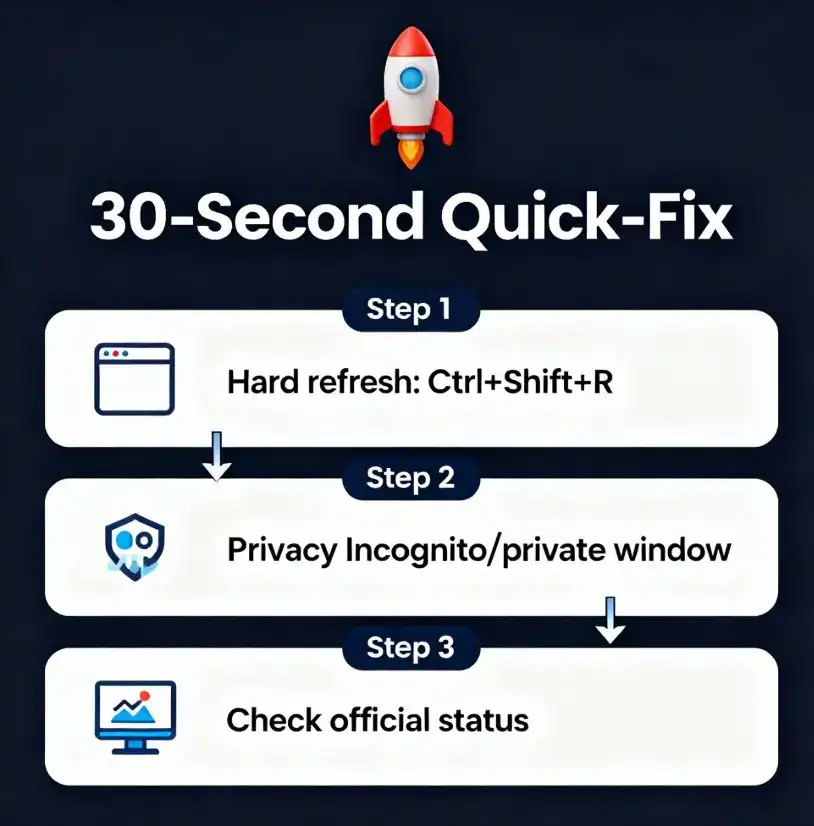
- Sign out of StudentAid.gov.
- Close every StudentAid.gov tab.
- Make sure your browser is updated.
- Open StudentAid.gov in a private or incognito window.
- If that works, clear the saved site data for StudentAid.gov in your regular browser and temporarily disable extensions that could interfere with page scripts.
- If it still fails, try another supported browser or another computer if one is available.
Then stop. If the same error occurs in two clean browsers or on another device, you have learned something. The problem is less likely to be a simple cache or extension issue.
This comes up constantly with government sites. People keep changing the device because that is the only variable they can control. But once you have ruled that out, repeating it does not become a better test.
If StudentAid.gov Login Is Not Working
A StudentAid.gov account problem is different from a FAFSA form problem. If you cannot reliably get into your account, fix the account before changing information inside the FAFSA.
Federal Student Aid has separate recovery processes for forgotten usernames or passwords, locked accounts, missing secure codes, duplicate Social Security number problems and identity verification.
- Locked account: use the official unlock or account-recovery process rather than repeatedly trying passwords.
- Secure code never arrives: troubleshoot the verification method associated with that StudentAid.gov account.
- SSN already in use: recover the existing account instead of creating another account.
- Account information is wrong: correct the account itself when appropriate before trying to force the FAFSA form to accept conflicting information.
Start with StudentAid.gov account recovery.
FAFSA Says “Unable to Complete This Action”
This error is especially maddening because the message itself tells you almost nothing:
“Unable to Complete This Action.”
Do not assume that phrase identifies one problem. Federal Student Aid has used the same general error wording for different underlying FAFSA issues.
Ask one question first: What were you trying to do when the message appeared?
- If it appears while inviting a parent or spouse, go to the contributor section below.
- If it appears while entering or changing parent-spouse information, check current FAFSA Issue Alerts before altering names or account information.
- If it appears when signing, check whose signature or consent is still required.
- If it appears while saving an ordinary page, test the browser once, then check that page for missing or invalid information.
- If the same step fails across clean browsers and devices, stop treating the message as a generic browser problem.
This distinction matters because Federal Student Aid has documented specific “Unable to Complete This Action” problems and provided problem-specific workarounds. The correct workaround depends on the screen and FAFSA situation.
If a FAFSA Contributor Invitation Is Not Working
The contributor process is one reason older FAFSA advice can send you in circles.
For the 2026–27 FAFSA, students and required contributors each use their own StudentAid.gov accounts. A contributor may be a parent, parent’s spouse or partner, or the student’s spouse depending on the student’s situation.
If the student starts the FAFSA first, the student can invite the required contributor to complete their section. Federal Student Aid recommends having the student start the form first because it can simplify the process and reduce errors.
If the invitation appears to be missing
- Have the student open the FAFSA under My Activity.
- Review the listed contributor and invitation status.
- Have the contributor sign in to their own StudentAid.gov account.
- Make sure you are working with the same FAFSA award year.
- Do not create another StudentAid.gov account merely because the invitation is not visible.
Each contributor needs their own StudentAid.gov account. One family login is not shared among the student and parents.
For a broader explanation of contributors and the form itself, see What Is FAFSA?
Do not guess your way through contributor special cases
If the contributor has no Social Security number, has a foreign address, is a spouse or parent-spouse, or the FAFSA is asking for someone you did not expect, check the current Federal Student Aid instructions or Issue Alerts before using an unofficial workaround.
Some of these situations have had specific known FAFSA bugs. A trick that worked for someone on an older FAFSA can be wrong for the current form.
If FAFSA Will Not Save or Keeps Sending You Back
A form that loads but will not save is a different problem from a website that will not load at all.
Work through the form one page at a time. When possible, save after completing a page instead of filling out several sections before checking whether the form accepted them.
If one particular page consistently fails to save while earlier pages save normally, that page becomes your clue. Review the required fields and information on that page, then compare the situation with the current Federal Student Aid issue list.
If none of the pages save and the same behavior appears across another clean browser or device, treat it as a possible system or account problem rather than repeatedly re-entering the entire FAFSA.
If Your FAFSA Will Not Submit
Before starting over, look at the FAFSA status and every required person attached to the form.
- Did the student complete all required student sections?
- Did every required contributor complete their portion?
- Did each required person provide the necessary consent and signature?
- Does My Activity say Draft, In Progress, Action Required, In Review or Processed?
- Does the form show a specific correction or next step?
Those status labels tell you more than simply seeing the form in your dashboard. An Action Required status means there is still an error or correction that needs attention. In Review means the submitted FAFSA is waiting to be processed. Processed means Federal Student Aid processed the form successfully.
A contributor can complete their own section, but a FAFSA that still requires another contributor’s section or signature cannot finish the full process until that requirement is satisfied.
What to Do if a FAFSA Error Is Threatening a Deadline
This is where I would stop troubleshooting casually.
If a school or state deadline is approaching, your next job is not finding one more browser trick. It is creating a clear record of what happened and contacting the financial aid office while there is still time to act.
- Screenshot the exact error. Include enough of the screen to identify the step you were completing.
- Write down the date and time.
- Record the FAFSA award year. This matters when more than one FAFSA exists in your account.
- Record what you already tried. Browser, device, account recovery, contributor status and any Federal Student Aid workaround.
- Save support case or chat information.
- Contact the school’s financial aid office. Explain that a documented technical or account problem is preventing completion and ask what they want you to do before their deadline.
The federal deadline is not the only deadline that matters. For the 2026–27 FAFSA, Federal Student Aid says the federal form must be received by June 30, 2027, but state and college deadlines can be much earlier.
If the deadline has already passed, see what to do if you missed the FAFSA deadline.
Should You Use the Paper FAFSA if the Website Still Will Not Work?
A paper FAFSA is available, but I would treat it as a fallback rather than the next automatic troubleshooting step.
Federal Student Aid says online submission is the fastest and easiest route. If a deadline is close and you genuinely cannot complete the online form, contact the school financial aid office and Federal Student Aid first so you understand what a paper application will and will not solve for your particular deadline.
For 2026–27, Federal Student Aid also provides an official printable FAFSA form for applicants who need to mail an application.
When to Stop Troubleshooting and Contact Federal Student Aid
I would stop experimenting and escalate when:
- the same error survives a clean browser and another device;
- your StudentAid.gov account cannot be recovered;
- a required contributor cannot access or complete their section;
- a form will not save even though the browser/session appears normal;
- all required sections appear complete but the FAFSA will not submit;
- Federal Student Aid lists your problem as a known issue but the documented workaround fails; or
- a school or state deadline is close enough that more trial-and-error is creating additional risk.
The Federal Student Aid Information Center can be reached at 1-800-433-3243. StudentAid.gov also offers online support options.
Have the exact error message, award year, account or contributor involved, screen where the failure occurs and the troubleshooting you already completed. “FAFSA doesn’t work” gives support very little to work with. “The 2026–27 form fails every time the parent contributor tries to move from Financials to Signature, on two browsers and two devices” gives them somewhere to start.
FAFSA Website Not Working? Use the Error as a Clue
The fastest way through a FAFSA error is usually not trying more fixes. It is narrowing the problem.
- Whole site will not load? Check outages, maintenance and your browser session.
- Cannot log in? Fix the StudentAid.gov account.
- Contributor stuck? Check the invitation, contributor account and current FAFSA instructions.
- One page will not save? Isolate that page and check the information or known issue affecting it.
- Cannot submit? Check form status, contributors, consent and signatures.
- Deadline approaching? Document first and escalate.
That diagnostic order matters. Once you know which system is failing, you can stop spending your time fixing everything that isn’t.
If you are trying to understand what borrowing options may come after the FAFSA, see the different types of federal and private student loans.
